


VPNHouse Fast & Secure VPN app
3.7199.00 Reviews
App Specs
- Version
- 2.9.5
- Updated On
- License
- Free
- Downloads
- 1,000,000+
- Developer
- VPNHouse
- Categories
- Tools
- Platform
- Android
Screenshots
 Analysis by AppCompare
My first impression of VPNHouse Fast & Secure VPN is that it is built around a simple promise: make it easy to route everyday browsing through a VPN without asking the user to learn much first. That straightforward approach is useful when I want a quick connection on a phone, but it also means I judge the app by practical questions: does it stay usable during ordinary tasks, and do I understand what I am relying on it to protect?
What a quick connection is—and is not—good for
A one-tap setup suits the moments when I am about to use public Wi-Fi for routine browsing, checking messages, or looking up directions. Rather than treating a VPN as a magic privacy switch, I see it as one part of a safer connection routine. I would still avoid entering sensitive information on a page I do not trust, and I would check that the VPN is connected before opening an account or sending anything private.
For someone who has never used a VPN, the low-friction design can make the first step less intimidating. For someone who likes to choose protocols, inspect detailed connection data, or fine-tune network behavior, a more configurable VPN may be a better fit. The trade-off is clear: fewer decisions make casual use easier, but they leave less room for hands-on control.
Choosing a server with a purpose
Changing location can be useful for more than trying to reach a region-specific page. When I travel, I may want a familiar browsing experience, while at home I may simply prefer a nearby location to keep a connection responsive. I would start with a close option for general use, then switch only if a site or service gives me a reason. A distant server can add delay, so choosing the farthest location just because it sounds more private is not automatically the best everyday choice.
There is also a practical limit to location switching: a VPN cannot guarantee that every site will accept a connection from every region. Streaming platforms, banking pages, and other services may behave differently when they detect a VPN. If one page stops working, I would first try another server or briefly disconnect for that specific task, rather than assuming the phone or app is broken.
Where this app fits among VPN choices
Compared with a browser’s private mode, a VPN is intended to cover network traffic beyond the browser session, so it can be relevant when I use several apps on the same connection. Private browsing has a different job: it can limit local browsing history, but it does not replace a VPN. Neither option makes a person anonymous or prevents every kind of tracking, which is why I would treat their benefits as complementary rather than interchangeable.
Compared with a paid VPN aimed at frequent travelers or people who want extensive controls, VPNHouse is more appealing as a simple starting point than as a specialist toolkit. Its free entry point is convenient, while in-app purchases mean I would review the available purchase terms before relying on it as a long-term solution. If I needed a particular documented privacy policy, advanced controls, or a service suitable for a specific work requirement, I would compare providers carefully instead of choosing on convenience alone.
Worth Reading Before You Choose

EA SPORTS FC Mobile 26 Is a Bigger Football Game, but It Takes Time

Flipboard Shows What News Apps Must Do Beyond the Feed

Switching to Android Auto Means Rethinking Your Driving Routine

Google Calendar Makes a Crowded Week Easier to Manage

Ludo King Makes the Most of the Minutes Between Plans

Baby Panda World Brings Quick Play to Modern Phones, but Its Game Library Feels Busy
VPNHouse is a tools app from VPNHouse, and it has an average rating of 3.7 from around 9,500 ratings, with over 1 million installs. Those figures suggest that people have tried it in meaningful numbers, but they do not tell me whether its current connection quality will suit my carrier, location, or preferred websites. I would use a short, ordinary trial—checking a few familiar pages and apps—before making it part of a daily routine.
Your Privacy Protector
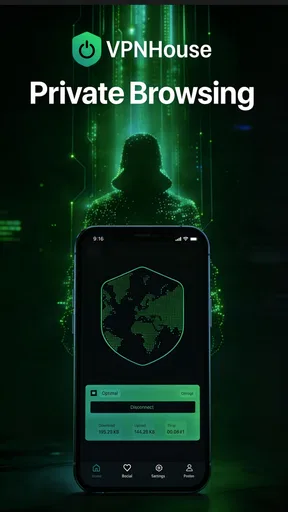
Who doesn’t love the idea of surfing the web without leaving a trail of breadcrumbs? VPNHouse Fast & Secure VPN is designed to do just that. It’s like wearing an invisibility cloak while you browse. The installation was a breeze, and within minutes, I was all set to dive into the world of secure browsing.
Ease of Use
I’m not exactly a tech wizard, but the app’s interface is so intuitive even my grandma could navigate it. Seriously, from getting it up and running to connecting to a server, it’s all straightforward. The app doesn’t bombard you with too many options, which is perfect if you’re just looking to get online safely without a tech degree.
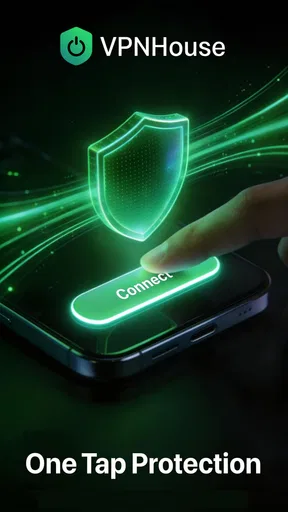
The moment you fire up the app, you’re greeted with a big, friendly button that says "Connect." Tap it, and voila! You’re connected to a secure server. It’s as simple as clicking a button. And if you want to change your server location, it’s just a matter of a few taps.
Speed and Performance
Now, I’ve used a few VPNs in my time, and let's face it, some of them can slow your internet down to a snail’s pace. But with VPNHouse, I hardly noticed any lag. Whether I was streaming my favorite shows or downloading files, everything was smooth sailing. It’s almost like the app gives your internet connection a little boost rather than dragging it down.
Security Features
Security is where VPNHouse Fast & Secure VPN really shines. It uses top-notch encryption to keep your data safe from prying eyes. You know those nosy hackers and pesky advertisers? Yeah, they don’t stand a chance. The app also boasts a no-logs policy, reassuring you that your online activities aren’t being recorded. It’s like a digital vault for your data.
Another feature worth mentioning is the kill switch. If your VPN connection unexpectedly drops, the app automatically cuts off your internet to prevent any data leakage. It's like having a bodyguard that’s always on alert.
Global Server Access
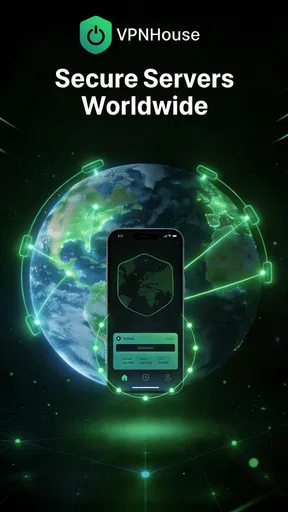
Whether you’re looking to access content from across the globe or just want to appear as if you’re surfing from a different location, VPNHouse has got you covered. With servers scattered all over the world, it’s like having a passport to the internet. I tried connecting to a few different countries, and each time the connection was quick and reliable.
Customer Support
Alright, let’s talk about something we often overlook until we need it—customer support. VPNHouse doesn’t leave you hanging. They offer 24/7 support, which is a lifesaver if you ever run into issues. I had a minor hiccup with connecting to a server once, and their support team was quick to respond and solve the problem.
Version, cost, and device fit
The current version is 2.9.5, and it supports Android 6.0 or later. That makes it a possible option for someone keeping an older Android phone in service, though I would still pay attention to how that particular device handles a VPN alongside its other apps. A phone that is already struggling with storage, battery life, or a crowded background workload may feel less comfortable with any extra network tool running.
The app is free to install, with in-app purchases ranging from $9.99 to $59.99 per item. I would check exactly what a purchase covers and whether it fits my intended use before paying; a free download should not be mistaken for every feature or plan being free. Its content rating is Everyone, and it was released on March 15, 2023.
Keeping a connection useful during a busy day
A realistic use case is a commuter who checks a train update on station Wi-Fi, replies to a message, then switches to mobile data on the way home. In that kind of routine, the useful habit is to connect before opening the apps that matter and to notice when the network changes. If a page stalls after moving between Wi-Fi and mobile data, I would reconnect or select another server before repeatedly refreshing the page; repeated retries can make a temporary handoff problem look like a wider outage.
For heavier use, such as a long video call or a large download, I would not assume that a VPN will preserve the same responsiveness as a direct connection. Encryption and the route to a server can affect the experience, and distance or congestion can matter. If a call becomes choppy, I would test a closer server and compare the same call briefly with the VPN disconnected, provided the task does not require the VPN. That simple check helps separate a weak local network from a VPN routing issue.
I would also avoid leaving a VPN on out of habit when a service depends on a precise location or local network access. Some work tools, payment pages, or smart devices may react unpredictably to a changed network route. Keeping a short mental list of apps that behave differently makes troubleshooting faster: first check the VPN state, then try a nearby server, and only then decide whether that particular task is better done without it.
Stability and recovery matter more than a speed claim
In everyday use, a fast first connection is only part of the experience. I care just as much about whether the app recovers cleanly after a weak signal, a phone sleep cycle, or a switch between networks. If a connection seems stuck, my practical sequence would be to wait briefly, disconnect and reconnect, and then try a different location. That is more useful than tapping Connect repeatedly, which can make it harder to tell whether the connection has actually changed.
The kill switch described for the app is intended to prevent traffic from continuing if the VPN unexpectedly drops, but I would not treat that as a reason to ignore connection status. Before a sensitive task, I would confirm that the VPN is active; after a network change, I would check again. This small habit is especially worthwhile on a phone that moves between Wi-Fi hotspots, because the connection path can change while the user is busy doing something else.
Battery and data use are also worth judging in context. A VPN adds network handling, so I would watch the phone’s battery and data behavior during a normal day rather than assume the impact is either negligible or severe. If battery life is already tight, I would turn it on for the situations where I value the extra network protection instead of running it continuously without a clear purpose. The same selective approach helps avoid needless troubleshooting on a device with limited resources.
Who will appreciate it—and who may want another option
I think VPNHouse is most appealing to people who want a simple way to try VPN use, prefer a clear connection flow, and mainly need it for ordinary browsing on a phone. It may also suit someone who wants to change virtual locations occasionally without first learning a long list of technical settings. The app’s free starting point lowers the barrier to trying that routine, while the purchase range makes it sensible to inspect the terms before committing money.
I would steer a privacy professional, a remote worker with strict organizational requirements, or anyone choosing a VPN for sensitive high-stakes activity toward a careful comparison of providers and their documented practices. Ease of use is not the same as proof of suitability for every threat model. Likewise, a person whose main goal is consistently smooth gaming, low-latency calls, or reliable access to a particular streaming catalog may prefer a service they have tested specifically for that need.
One useful way to evaluate the app is to make a small personal checklist: connect on the Wi-Fi you use most, open a few familiar sites, try one location change, and then repeat the test on mobile data. Note whether the apps you rely on still behave normally and whether reconnecting is straightforward. This does not establish a universal performance result, but it gives a much more relevant answer than judging a VPN from a single successful tap.
Final Thoughts
So, should you give VPNHouse Fast & Secure VPN a shot? Absolutely! It’s like having a personal security guard for your online activities. The app combines ease of use with robust security features, all while maintaining impressive speeds. Whether you’re a seasoned VPN user or just dipping your toes into the world of online privacy, this app is a solid choice. It’s like having the best of both worlds—security and speed—all wrapped up in one neat package.
Now, go ahead and give it a whirl. You might just find that it’s the digital guardian you’ve been searching for.
My more measured recommendation is to try it for low-risk, everyday browsing and pay attention to how it behaves on the networks and apps I actually use. VPNHouse has a welcoming, uncomplicated approach, but I would not choose any VPN on a speed impression alone or assume it makes every online activity anonymous. If straightforward setup is your priority, it is worth considering; if you need detailed controls or assurances for a specific professional use, compare alternatives before settling on it.
Pros
- High-speed connection for streaming.
- User-friendly interface for easy use.
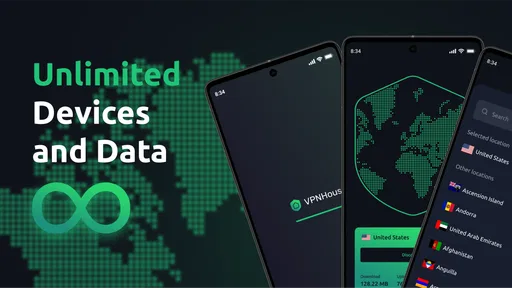
- Supports multiple devices simultaneously.
- Strong encryption ensures privacy.
- Wide range of server locations.
Cons
- Limited free version features.
- Occasional connection drops.
- No ad-blocking feature included.
- Customer support response time varies.
- Some servers can be slow at peak times.
FAQs for VPNHouse Fast & Secure VPN app
What platforms is VPNHouse Fast & Secure VPN available on?
VPNHouse Fast & Secure VPN is available for both Android and iOS devices. Users can download the app from the Google Play Store for Android devices and the Apple App Store for iOS devices. The app is designed to be user-friendly on both platforms, providing a seamless VPN experience no matter which device you use.
How does VPNHouse ensure my online privacy and security?
VPNHouse Fast & Secure VPN uses advanced encryption protocols to secure your internet connection, ensuring your data remains private and protected from hackers and other malicious entities. It masks your IP address, making your online activities anonymous and safeguarding your privacy while you browse, stream, or download.
Does VPNHouse affect my internet speed?
While using a VPN can sometimes slow down your internet connection due to the encryption process, VPNHouse is optimized to provide fast and stable connections. The app offers multiple server locations, allowing you to choose the best one for your location to minimize any potential speed reduction.
What kind of customer support does VPNHouse offer?
VPNHouse provides comprehensive customer support, including a detailed FAQ section on their website and in-app. If you encounter any issues, you can contact their customer support team via email or live chat. They are known for their prompt responses and helpful solutions to ensure a smooth user experience.
Is there a free trial available for VPNHouse Fast & Secure VPN?
Yes, VPNHouse offers a free trial period for new users. This allows you to test the app's features and performance without any financial commitment. If you find the service satisfactory, you can then choose from their various subscription plans to continue using the VPN service.


